How to Master AwardTool's Mega Search Feature
Last modified on
Our real-time Mega Search feature lets you search award flight availability between any two airports instantly. It is perfect for planning trips, tracking specific flights, or staying updated on route availability worldwide.
Follow this step-by-step guide to get the most out of your award searches.
Step 1: Log In and Access Mega Search
To unlock the capabilities of Mega Search, you first need a free account.
- Sign Up / Log In: If you choose email sign-in, a magic link is sent to your inbox for quick, passwordless access.
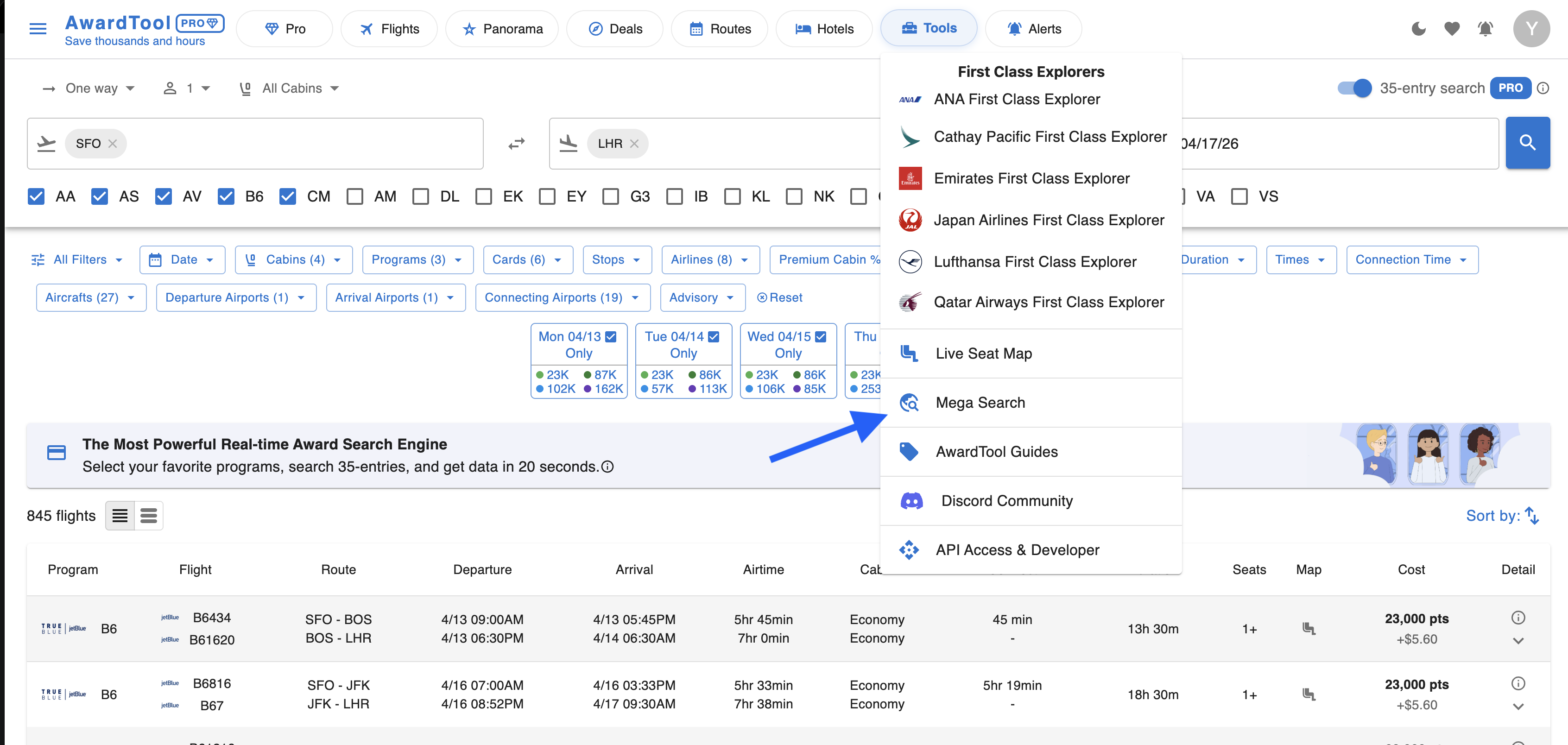
- Open Mega Search: From the top navigation, click Tools and then select Mega Search.
Step 2: Configure Your Flight Search
Enter your trip details, choose the right dates, and decide which programs to include.
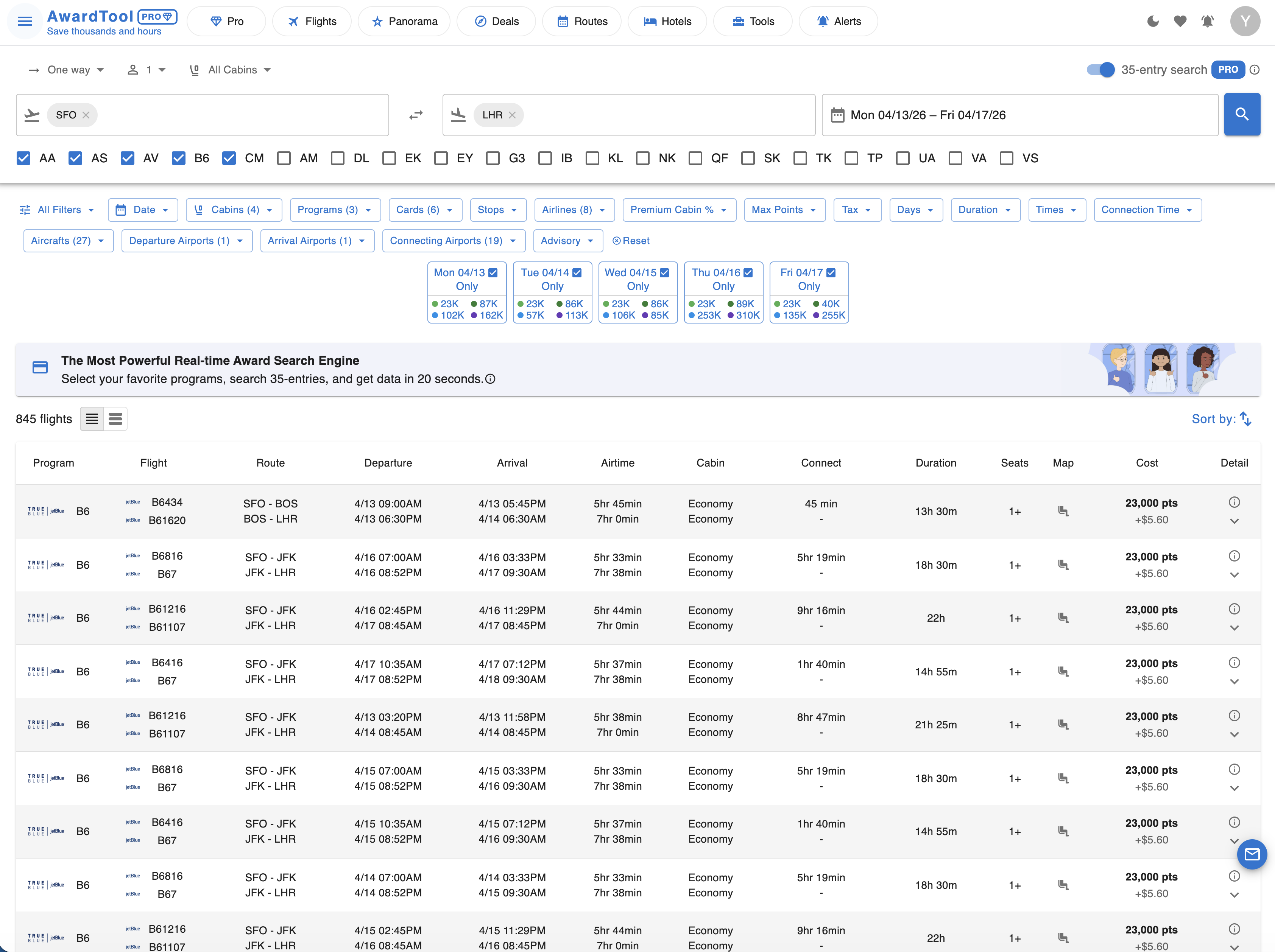
- Enter route details: Select your departure airport (for example, SFO) and your arrival airport (for example, LHR). You can also adjust cabin preferences and passenger count.
- Select travel dates: Pick your dates while keeping your tier limits in mind.
- Free Users: You can access PRO-level power for up to 3 searches per day.
- Pro Users: You can run up to 35 entries in one search. One entry equals one origin, one arrival, one way, and one day. For example, you can scan a single route for up to 35 consecutive days in one click.
- Choose airline programs: Select up to 5 airline programs (for example, AA, AS, AV, B6, CM) before starting the search.
Step 3: Analyze Results, Sort, and Filter
Once your search is complete, you will see a detailed dashboard of available flights.
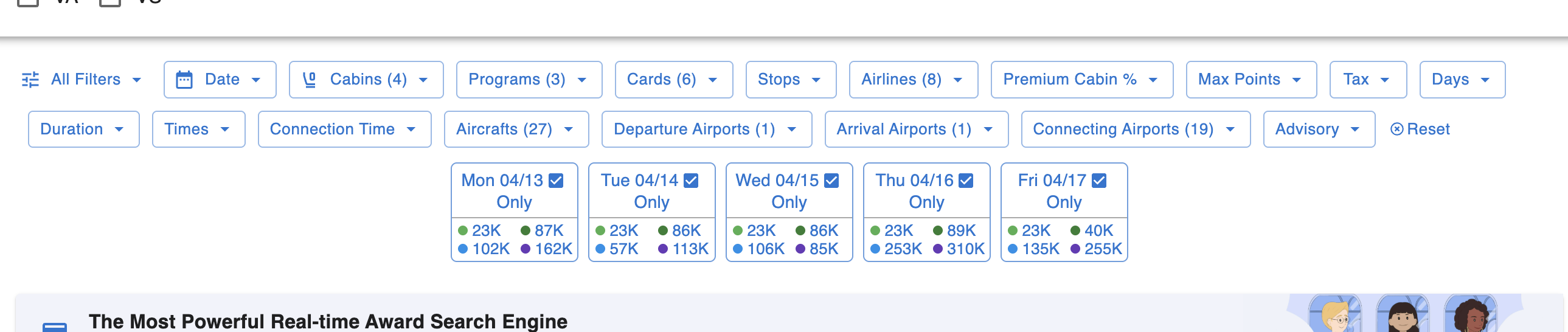
- The Calendar View: At the top of the results, you will see a handy date matrix showing the lowest points required for each day in your search range, allowing you to quickly spot the cheapest days to fly.
- Filtering: We offer a vast array of specific filters to help you zero in on the perfect flight. Use the drop-down menus above the results to customize your search:
- Dates and times: Filter by specific date, days of the week, departure and arrival times, overall flight duration, and connection time.
- Routing and airports: Specify your preferred number of stops, and set exact departure airports, arrival airports, and connecting airports.
- Cabins and airlines: Select your desired cabins (for example, Business or First), operating airlines, specific aircraft, and minimum premium cabin percentage for mixed-cabin itineraries.
- Cost and programs: Set your budget using max points and tax limits. You can also filter by specific airline programs or the transferable credit cards you hold.
- Other: Use the Flight Quality filter to review layovers, airport changes, and overnight flights, or click All Filters to see every option at once. If you need to start fresh, click Reset.
- Sorting: Use the column headers or the Sort by function on the right to organize flights by cost, duration, departure time, arrival time, and more.
Step 4: View Details and Book Your Flight
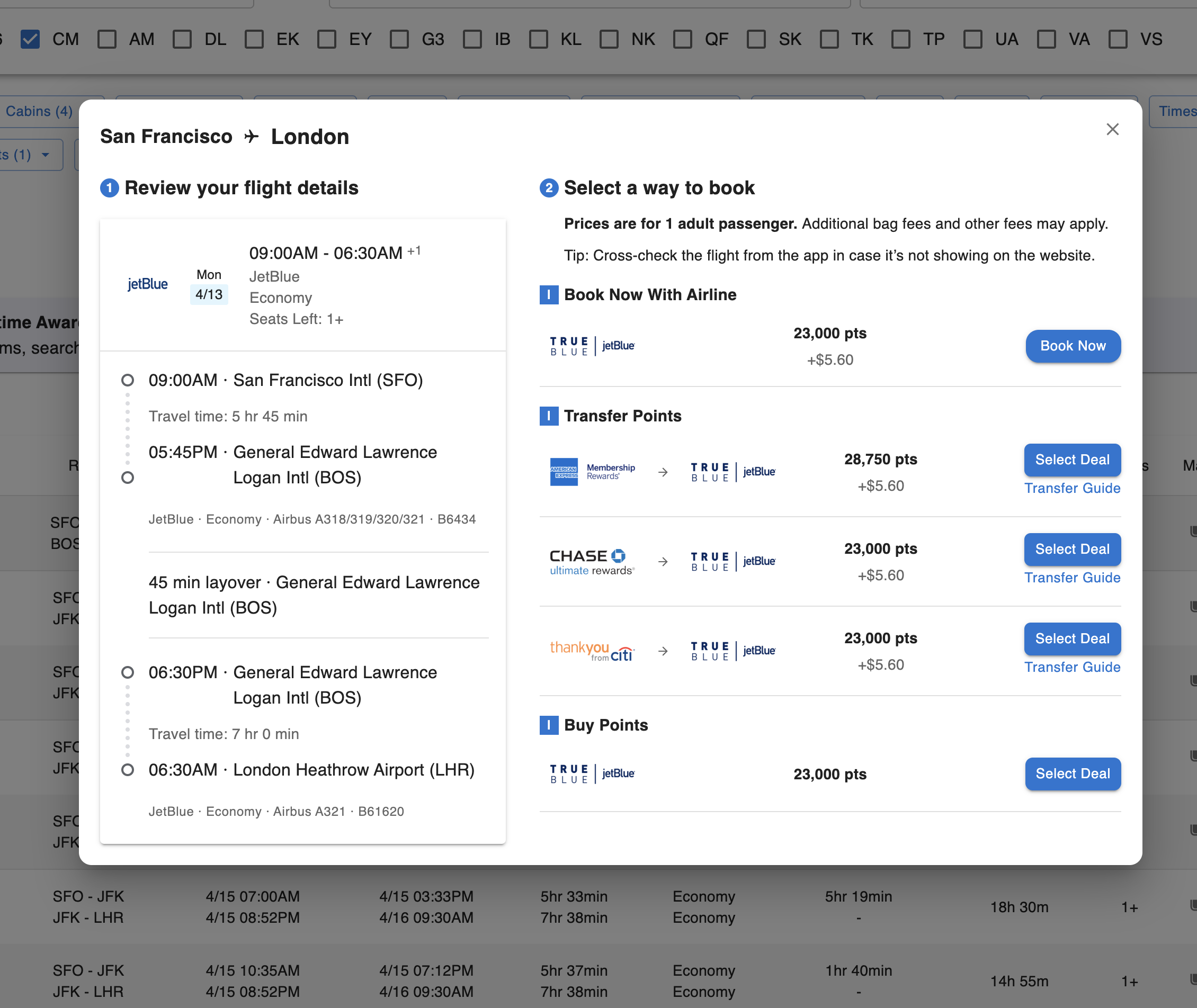
When a flight matches your schedule and budget, click the down arrow on the right side of the row to open detailed booking options.
- Review itinerary: The left panel shows layovers, aircraft types, operating airlines, and total travel time.
- Choose your booking path: The right panel gives exact options to secure the flight:
- Book now with airline: Use this if you already have the required airline miles.
- Transfer points: See eligible card currencies (such as Chase, Amex, or Citi), transfer ratios, and the exact points needed, with a transfer guide included.
- Buy points: Purchase miles directly if you are short.
Click Select Deal next to your preferred option to move forward with booking.
Need Help?
Contact support at team@awardtool.com